
Richland State Bank Mobile Banking App
There's an app for that! And Remote Deposit is available!!
Please download our app from your app store, login using your credentials (or create new credentials), and enjoy banking on the go!

Instructions to Download the Richland State Bank app:
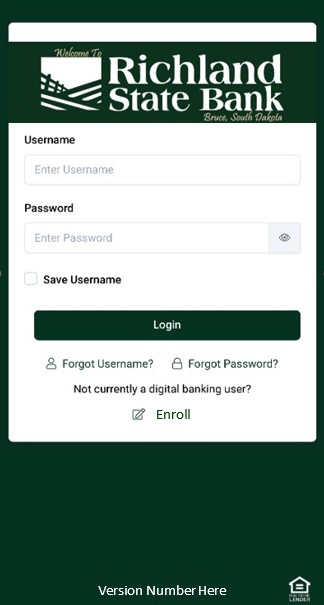
1. Search for and download "Richland State Bank" from your app store.
2. Already have login credentials? Enter your information to login.
3. Don't yet have login credentials? Create your login by clicking "Enrollment."
Enjoy remote deposit, checking balances, viewing check images and statements, and transferring between accounts on your phone.
Please let us know if you have any questions!
Remote Deposit is available!!
1. In your app, click on the menu button, then find "deposit."
2. You will need to enroll the first time by confirming your email address and phone number. Then click "enroll."
3. We will review your enrollment. You will get an email once approved.
4. Once approved, you will be able to remotely deposit checks!
Important Information:
- The daily cut-off is 2:30pm CST on bank business days. Deposits submitted after this time will be processed on the next business day.
- Checks must be endorsed with the signatures of all payees, along with "For Mobile Deposit Only." If the check is not properly endorsed, the deposit will be rejected.
- Additional Terms & Conditions may be found here.
Please contact us with any questions!
